When you can't expose a database, don't expose it. Join the network it lives on.
The cloud function had a public IP. The on-prem database had a firewall. Three days, four 'solutions', one actual fix that wasn't a tunnel at all.

i spent three days last week trying to make a cloud function talk to a database inside a customer’s on-prem network.
if you’ve ever had to do this, you know the feeling. you sit down, type “expose on-prem database to cloud”, and immediately regret it. every solution that shows up is either a half-day config slog, a $50/month paid plan, or a security risk that makes your infra team block the PR.
here’s what i tried, what didn’t work, and the one thing that did.
the setup
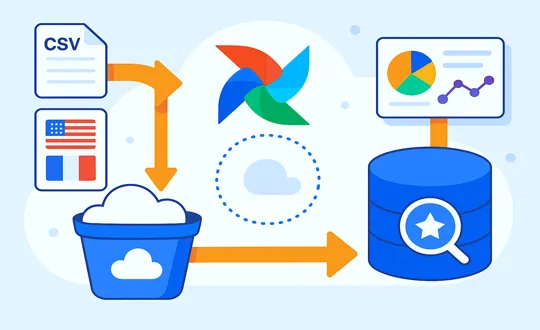
we’re migrating customer databases into this thing called omni db. the source databases live in on-prem data centers, behind firewalls we don’t control, behind compliance teams that don’t want to know us. the trigger is a button in a web app our customers click. on click, a cloud function spins up, reads the source db, writes the rows to omni db.
the architecture looks like this:
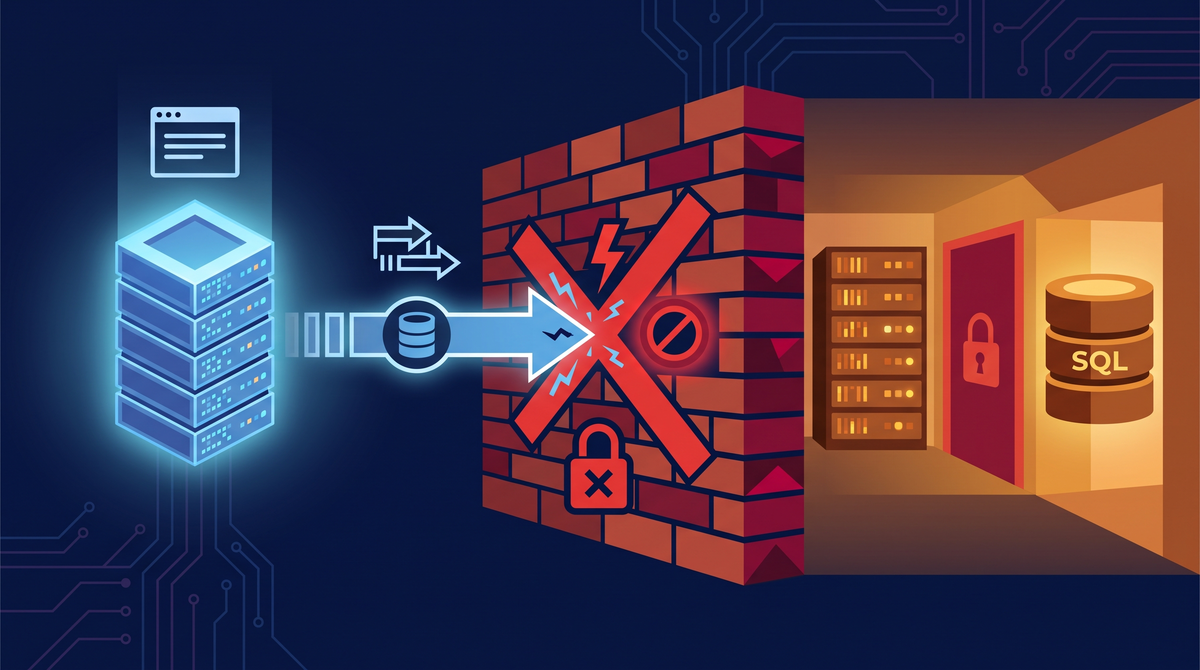
the bottleneck is the same question every single time. how does a public cloud function talk to a database that lives inside a network that absolutely will not expose port 1433 to the world.
spoiler: you don’t make the firewall bend. you make your cloud vm invisible to the firewall.
what i tried (and what broke)
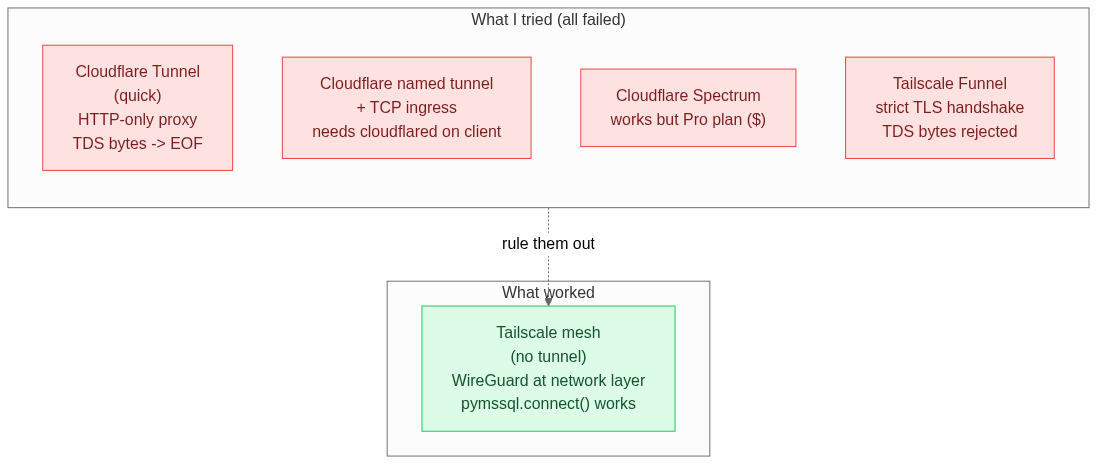
| # | what i tried | why it failed | time wasted |
|---|---|---|---|
| 1 | cloudflare tunnel (quick tunnel) | http-only proxy. tds isn’t http. got EOF immediately. | 30 min |
| 2 | cloudflare named tunnel + tcp ingress | requires cloudflared on the client too. our client is pymssql, not a tunnel client. | 2 hours |
| 3 | cloudflare spectrum | works perfectly. locked behind the pro plan. | half a day |
| 4 | tailscale funnel | requires tls handshake at the edge. raw tds bytes get dropped with Unexpected EOF (error 20017). | 4 hours |
the pattern in all four is the same: every “tunnel” solution assumes one thing — the caller is on the public internet and the service is on a private network. if you control the caller, that assumption is wrong. that’s the unlock.
attempt 1: cloudflare tunnel (quick tunnel)
i started with cloudflared tunnel --url, hoping for a free public hostname that forwards to localhost:1433.
thirty seconds later, dead. cloudflare tunnel is an http and https reverse proxy. it does not speak raw tcp. sql server uses tds (tabular data stream) which is raw binary bytes with zero http framing. the tunnel got the tds prelogin bytes, had nothing to do with them, and dropped the connection.
the lesson, hard learned: if your protocol isn’t http, cloudflare quick tunnel is the wrong tool. stop.
attempt 2: cloudflare named tunnel + tcp ingress
ok so named tunnels do support tcp. you set service: tcp://localhost:1433 in the config, it works.
but here’s the catch. tcp ingress on cloudflare only works if the connecting client is also running cloudflared with access tcp configured locally. the connection is brokered through cloudflare’s edge using a wireguard-style hop. you don’t get a host:port you can plug into a normal client library.
our consumer is pymssql or the .net sql client. those are normal database drivers, not tunnel clients. non-starter.
attempt 3: cloudflare spectrum
this one would have actually worked. spectrum gives you a real public tcp endpoint. you connect to something.cloudflare.com:1433, cloudflare forwards raw tcp to your origin. no client-side software. just works.
locked behind the pro plan. paid. infra team approved it as a backup option but wanted a free alternative first. i spent half a day researching spectrum before i accepted that paid wasn’t happening. if i had just asked infra for a budget exception in the first hour instead of the third day, i would’ve saved 2 days.
attempt 4: tailscale funnel
this one hurt because tailscale is already approved and running for our team. funnel exposes a service on your tailnet to the public internet through tailscale’s edge nodes. sounded perfect.
but funnel has a strict rule: every incoming connection must begin with a real tls handshake at the edge. it’s built for https. the moment a non-tls byte shows up, funnel drops the connection with Unexpected EOF (error 20017).
sql server’s tds protocol sends raw prelogin bytes the moment a client connects. no tls handshake in the protocol. to make funnel work i would need:
- sql server configured for tds 8.0 strict encryption mode, which prepends a real tls handshake before the tds stream
- a client library that supports tds 8.0 strict
our stack is pymssql on linux, which wraps freetds. neither supports tds 8.0 strict today. dead end for this stack.
if i had checked the client library’s protocol support before committing to this stack, i would’ve known funnel was a dead end before i tried it. always pick the protocol first, then the tunnel.
the pattern in all four failures
every “tunnel” solution i tried assumes one thing: the caller is on the public internet, the service is on a private network, and the tunnel bridges the two.
that’s fine when the caller really is on the public internet. a mobile app. a browser. a third party service you don’t control. for those, you need some form of public endpoint.
but if you control the caller (another vm, another server, another piece of infrastructure you own) that assumption is wrong. you can install software on the caller. you can put it on the same private network as the database.
that was the unlock. i stopped trying to expose the database. i started joining machines to a private mesh.
what worked: tailscale mesh, no tunnel
three steps. total time about half a day including approvals.
- install tailscale on the migration vm in the cloud. it gets a stable
100.x.x.xprivate ip from tailscale’s cgnat range. - install tailscale on a small linux box inside the on-prem network that has line of sight to the source databases. it gets its own
100.x.x.xip. - approve both devices on the same tailnet. the on-prem box’s tailscale ip is now reachable from the migration vm in the cloud.
the on-prem box is just a jump host. it doesn’t do anything fancy. it just needs to be able to reach the databases on their native ports. the migration vm talks to the on-prem jump host over the mesh, the jump host proxies the connection to the local database.
then from the migration vm:
import pymssql

conn = pymssql.connect(
    server="100.x.x.x",   # the on-prem jump host's tailscale ip
    port=1433,
    user="migrator",
    password="...",
    database="source_db",
)
cursor = conn.cursor()
cursor.execute("SELECT * FROM dbo.customers")
for row in cursor.fetchall():
    print(row)
end to end. working. no tunnel, no tls termination layer, no public exposure, no firewall changes. the cloud function never touches a database, the migration vm never accepts a public connection, the on-prem jump host never accepts anything but tailnet traffic.
the change to ops: zero. the change to compliance: zero. the change to the customer’s firewall: zero. that’s the goal.
why this works at the network layer
tailscale devices on the same tailnet talk to each other over a wireguard-encrypted mesh. when both devices can reach each other directly over the internet, the connection is point to point with wireguard encryption. when they can’t, tailscale relays through its derp servers using the same encryption.
the encryption happens at the network layer. there is no requirement for the application to do its own tls handshake. the database sees a normal tcp connection from another tailnet device. no protocol mismatch, no handshake gymnastics.
this last bit is what makes it different from the tunnels. the reason funnel failed is exactly because it required an application-level tls handshake. the mesh doesn’t, because encryption is handled by wireguard below the transport layer.
the mesh, drawn simply
  +-----------------------------+        +-----------------------------+
  | On-prem Jump Host           |        | Migration VM in cloud       |
  | SQL Server :1433            |        |                             |
  | Tailscale IP: 100.x.x.x     |<------>| Tailscale IP: 100.y.y.y     |
  +-----------------------------+        +-----------------------------+
                  WireGuard mesh, encrypted end to end
the full pipeline, end to end
here’s the migration as it actually runs. the cloud function triggers the job, the migration vm does the work over the mesh, the response comes back through the same path.
# Cloud Function: receive the trigger, hand it off
def trigger_migration(request):
    body = request.get_json()
    db_name = body["db_name"]          # e.g. "mysql" or "sqlserver"
    table = body["table"]              # e.g. "users"

    # Pull the migration VM endpoint from Secret Manager
    vm_endpoint = secret_manager.get(f"vm-endpoint-{db_name}")

    # Kick off the migration job over the mesh
    response = requests.post(
        f"{vm_endpoint}/jobs",
        json={"table": table, "batch_size": 1000},
        timeout=300,
    )
    return {"status": "ok", "rows": response.json()["rows"]}
# Migration VM: connect to the on-prem DB over the mesh, write to Omni DB
@app.post("/jobs")
def run_migration(job: Job):
db = connect_to_source(job.db) # pymssql over Tailscale, 100.x.x.x:1433
omni = connect_to_omni()
rows = db.execute(f"SELECT * FROM {job.table}").fetchall()
omni.bulk_insert(job.table, rows, batch_size=job.batch_size)
return {"rows": len(rows), "status": "complete"}every piece is on the network it needs to be on. no piece is on a network it should not be on. that’s the whole point.
5 things i’d do differently
i wrote this so you don’t have to. if you’re about to do this, here’s the list.
-
check the protocol first. two minutes of googling “pymssql tds 8.0” would’ve told me funnel was a dead end before i tried it. pick the protocol layer first, then pick the tunnel.
-
ask infra for budget on day one, not day three. if spectrum is the only thing that fits and it costs money, that’s a conversation, not a problem to engineer around. i burned half a day researching spectrum before accepting that paid wasn’t happening.
-
test the protocol mismatch early. when i first hit
EOFerrors with cloudflare tunnel, i assumed it was a config issue. it took a while to confirm it was a fundamental protocol incompatibility. knowing that tds does not speak http would have saved me an afternoon. -
get the on-prem team involved before you start coding. the reason this worked was a small linux box on the on-prem network running tailscale. that box had to be approved, imaged, and installed. starting that conversation a week earlier would have shaved a day off the timeline.
-
draw the mesh idea before you draw the tunnel. honestly the solution was simpler than any of the tunnel approaches. if i’d spent an hour sketching “what if the cloud vm just joined the on-prem network directly” before any other research, i would’ve skipped three of the four attempts entirely.
the one-liner
when you can’t expose a database, don’t expose it. join the network it lives on.
faq
why not just ssh tunneling? ssh tunnels work, but they need a publicly reachable ssh endpoint, which means a public ip on the on-prem box, which means a firewall change. we were trying to avoid the firewall change. ssh tunneling is fine if you already have that exposure.
why not a site-to-site vpn? site-to-site vpn is the right answer for steady-state traffic between two known networks. for an on-demand migration triggered from a web app, the setup and maintenance overhead is more than the mesh. also, the on-prem side would still need a vpn concentrator, which is another box to approve and manage.
why tailscale over zerotier or nebula? they all do roughly the same thing. tailscale was already approved in our org, and it has magicdns, which means we can refer to jump hosts by name instead of 100.x.x.x. nebula would’ve worked too. zerotier would’ve worked too. pick the one your security team has already approved.
what about logging and audit? tailscale logs every device, every acl change, every connection attempt at the coordination server. you can pipe those logs to your siem. we pipe ours to cloud logging. we do not log packet contents, because the mesh is end to end encrypted and tailscale cannot see them anyway.
what if tailscale is down? migrations pause. that is the right behavior. there is no fallback to the public internet, because there is no public internet path. the database was never exposed. if the mesh is down, you cannot reach the database. that is the feature, not a bug. it means you cannot accidentally leak the database by forgetting to close a tunnel.
if this saved you a few hours, the homelab version of the same pattern is up too. seven machines across five networks and two isps, all on one tailnet, total setup time about an hour.
if you’re about to do this for real, find me on github — i want to hear what breaks.